


Configure for your needs
Configuration options allow the device setup to range from a simple set point adjuster to a complete control interface with set point, fan speed and mode adjust. Display options are configured easily via BACnet or locally at the device itself.
The full colour LCD display within the rotary dial provides an intuitive user experience for the end user via its rotating dial, easy to navigate menus and push to select function.


Ideal for Multiple Applications
Simple Setpoint Adjuster
At the core of the Rotary Interface is the ability to adjust setpoints easily. When used as a BACnet device this is directly accessible to the BMS via native BACnet MS/TP communications.
Why not add IO? One of the standout features of the Rotary Interface is its ability to be easily integrated into wider networks. By adding the Rotary and networkable IO, such as our BACnet Smart IO modules, to a BMS network you can quickly create basic control loops.
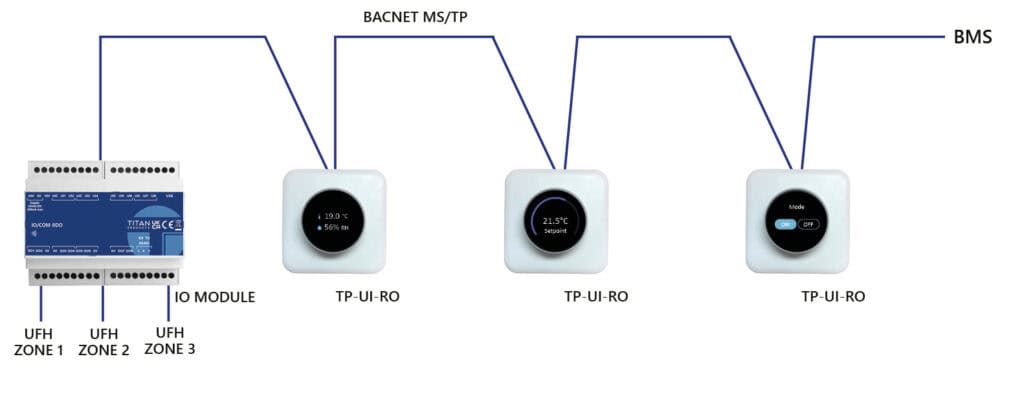
Multi-Zone Heating
By mapping up to four Rotary Interfaces to a multi-zone heating controller, such as our MZ-503, via our NetMaster, or other third party network manager, you can gain full control over multiple heating zones. Environmental conditions and user adjustment parameters are mapped to the dedicated controller which will provide real-time, energy efficient control. This system creates user adjustments to setpoints and run modes, allowing the end user to turn zone control on or off as needed and adjust the required temperature.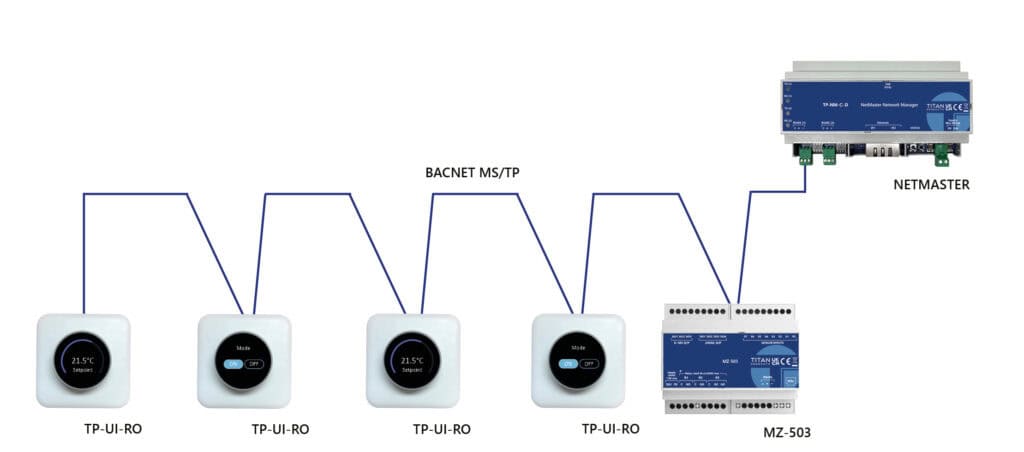
Natural Ventilation
When it comes to natural ventilation, the Rotary Interface is the perfect interface option. By mapping multiple Rotary Interfaces to Natural Ventilation Controllers like our NVC-1204, the solution can provide on-demand temperature and CO2 natural ventilation control for multiple zones.
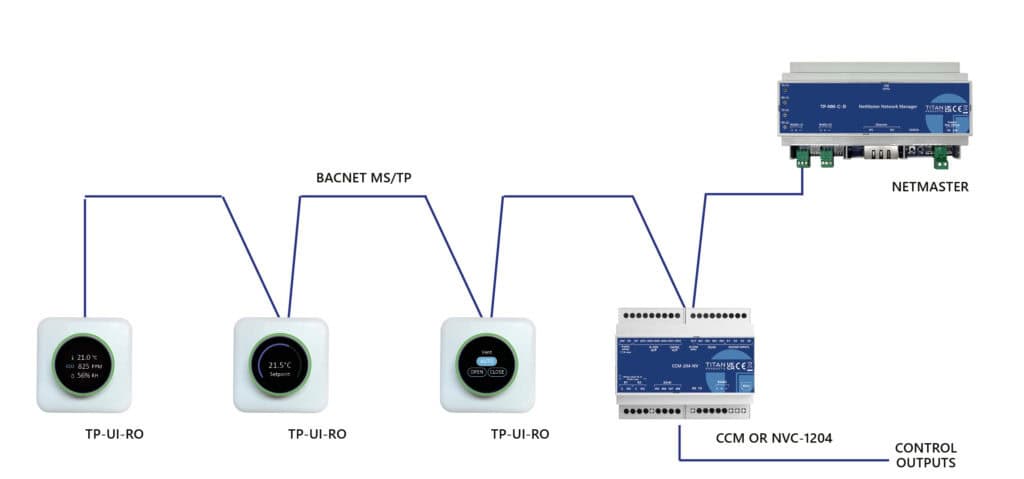
Fan Coil Control
The Rotary can connect and power directly from the Titan TP-710 MS/TP fan coil controllers, allowing intuitive adjustment of setpoint, fan speed, run mode and comfort mode, giving users full control over their environment. Its sleek and user-friendly design makes it an ideal choice for spaces such as commercial offices.
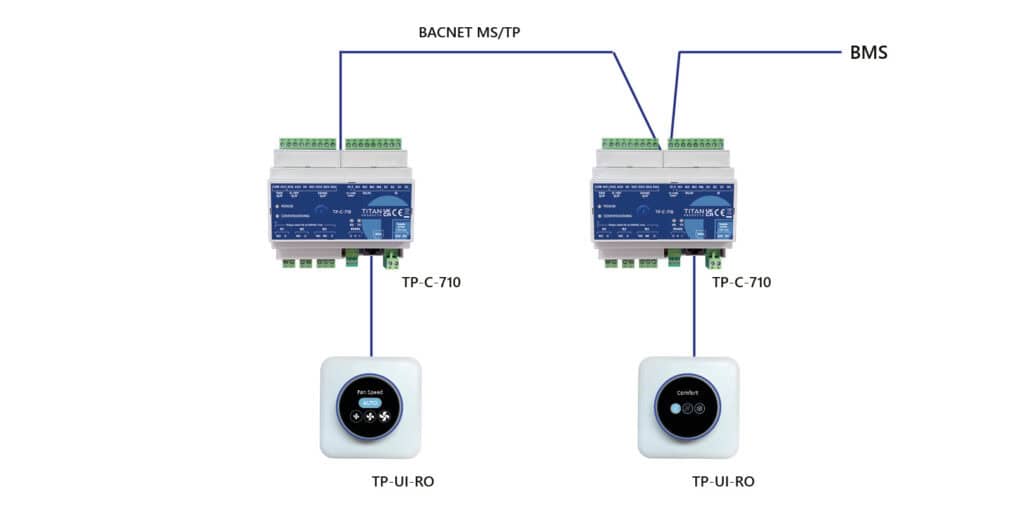
Interface Library
Display options are configured easily via BACnet or locally at the device itself


Key Features
- Quick and simple interface configuration
- Range of applications from set point adjust only to full FCU user interface
- Full colour LCD display
- Gen 3 enclosure and new rotating dial
- Monitor CO2, temperature & humidity
- Fully networkable via BACnet MS/TP
- Excellent user experience, with simple to navigate menus
- HALO indication
- Direct connection to Titan’s 710 controllers